Install Hubexo US in Salesforce Lightning View package features
Requirements: Salesforce Enterprise Edition or above, Lightning, and My Domain
- Have your Salesforce and Hubexo US login information ready.
- Install the latest Hubexo US package into your Salesforce account using this URL:
http://www.constructionwire.com/Salesforce2Install -
Grant your Salesforce account access to Hubexo US's server.

-
In Salesforce App Launcher, launch Sales and then Personalize your Nav Bar.

-
In Edit App Navigation Items, click Add More Items, select Hubexo US Projects and Save.
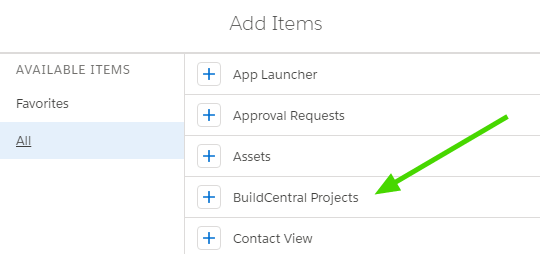
-
Click Hubexo US Projects from the nav bar. Select Account from the Settings Menu to sign into your Hubexo US account.

Permission Sets for Apex Class Access
Create Permission Sets to access Apex classes if you receive the following error:You do not have access to the Apex class named...
-
In your Salesforce account, navigate to Setup > Users > Permission Sets.
Create a new Permission Set, choose Apex Class Access, and click Edit.
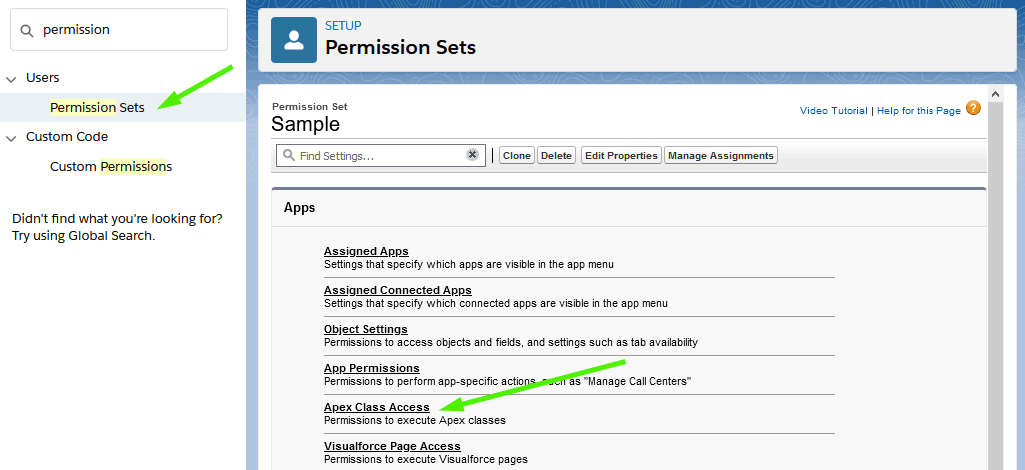
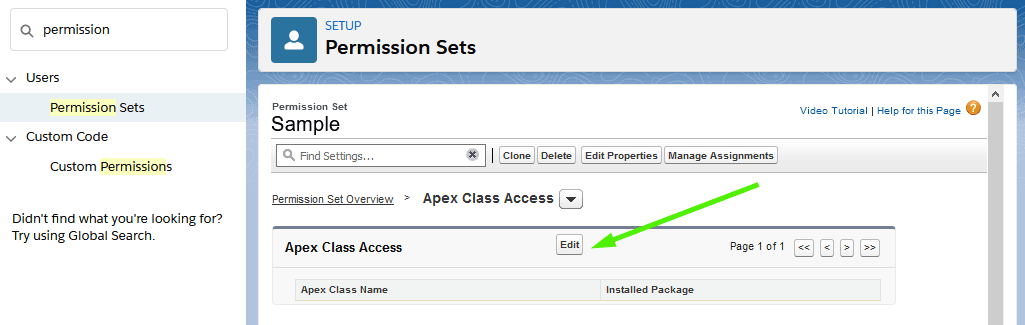
-
Add all Apex classes that starts with "Hubexo US".
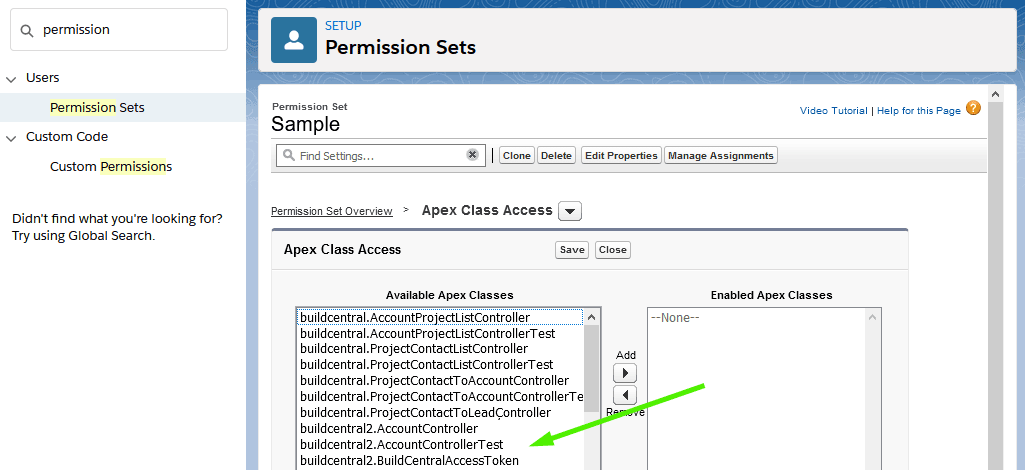
- Assign the new Permission Set to users that will access Hubexo US Projects.